
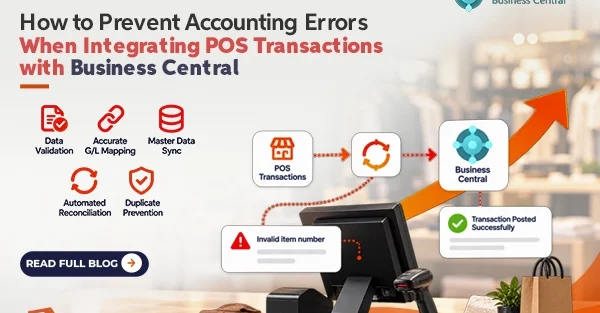
Incorporating the Point of Sale (POS) transactions with Microsoft Dynamics 365 Business Central will improve business operations. However, it can lead to automated errors in accounting. The fact is that just one bad mapping can cause thousands of transactions to occur and create a mess in the General Ledger (G/L). To avoid such issues, one needs to implement the correct system design. Here is how you can protect yourself from accounting errors during POS-Business Central integration.
Create Pre-Posting Validation Rules
Do not allow invalid data to go through to Business Central. The best way to protect your G/L from errors is to make sure that all the transactions are valid before posting to BC. Create validation rules, which will examine the incoming payloads and ensure that there is no missing data such as non-existent item numbers, inactive customer accounts or non-existent payment types. When a cashier enters an incorrect discount code that is not available in Business Central, then it should be rejected to the error queue.
Enforcing the Mappings of G/L Accounts and Dimensions
Many accounting mistakes occur because of inaccurate mapping of payment or discount. The software Business Central needs proper G/L accounts and dimensions for financial classification. All the payments made in different types (cash, visa, amex, gift card) must have their separate and unique clearing accounts mapped in Business Central. Likewise, map discounts or loyalty to their respective contra revenue or liability accounts. Additionally, apply BC dimensions accurately, whereby all the stores or registers should have their unique dimension codes.
Maintain Master Data Sync Consistently
Data drift is a silent killer of accounting precision. If the price for an item change in BC and the POS system continues to use the previous price, your revenue and inventory value will become unsynchronized. You can fix this problem by setting up a one-way synchronization of master data wherein Business Central becomes the master database. The item prices, tax codes, and costing method must be synchronized from the BC system to the POS system at regular intervals.
Automation of End-of-Day (EOD) Reconciliation
It is not wise to depend on manual month-end reconciliation. Since by the time an accountant realizes that there is a missing set of transactions, it will be too late. Rather, you should create your integration in such a way that it allows for automated reconciliation. At the end of every day, the POS system creates a Z-report that has the totals of sales based on payment types and registers. This information should be reconciled automatically with the successfully posted transactions in Business Central.
Design for Idempotency and Safe Retries
Duplicate transactions are one of the most frustrating accounting mistakes to handle and usually involve manually reversing the mistake via credit memo. Network timeouts will always happen. The POS may retry after sending a transaction which was successfully processed by BC. However, if the network times out before BC can respond with a “success” message, then the same sale will be posted twice. This can be prevented by assigning a unique Transaction ID for each sale. Upon receiving the request, BC checks whether it already has the unique Transaction ID. If yes, then BC disregards the duplicate transaction and responds with a success response.
Conclusion
POS-Business Central integration does not have to be risky. There are several steps that should be done to create a resilient integration. These steps include creating pre-posting validation, having strict G/L mapping, synchronization of master data, daily reconciliation, and idempotency design. All these measures will prevent your ERP from being prone to accounting errors.