

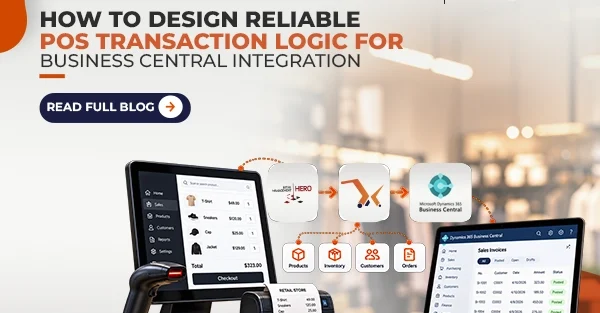

POS system implementation into the ERP, like Microsoft Dynamics 365 Business Central (BC), is a critical activity. However, the conditions of the retail stores are often challenging, with poor connection quality, hardware failure, and API limitations. Thus, the development of the POS transaction logic for Business Central integration is not only a question of proper data transfer but data integrity in case of problems. Below is its implementation detail.
Make Your System Idempotent
The most important principle for distributed systems is idempotence, which means being able to handle the same message several times without affecting anything except for the first execution of your logic. POS-BC integration frequently results in network timeout. When POS sends the message for the sales transaction and gets no answer from BC, it tries again. If your system is not idempotent, the transaction will likely process twice in BC.
To avoid that, create a unique Transaction ID on POS side and send it along with the payload to BC. Design a custom table in BC to keep Transaction IDs, processed before the posting of sales order or invoice.
Asynchronous Operation Design
A synchronous integration wherein the POS waits until the BC finishes its posting of the transaction could lead to “frozen register and angry customers.” This could happen if there is latency in BC. Particularly when BC is busy processing the transaction or if there is throttling on the API.
In designing an application, make sure that the POS pushes the transaction to a message broker or middleware API, gets an immediate “received” notification, and moves on to the next transaction while the background worker processes the queue and pushes the data to the BC. If BC is down for maintenance, the queue will be holding the transaction securely until BC comes up again.
Create Standards for Data Mapping and Master Data
It is only as strong as its data mapping. POS and BC have two entirely different languages. The “Item ID” in POS can refer to a barcode number or item lookup code, but BC uses their own internal “Item No.” Also, the payment type used in POS such as “Visa” should be correctly mapped to the corresponding G/L account in BC.
To ensure the integrity of the process, create a standard master data synchronization procedure. Item nos., customer nos., payment method codes, and store location codes should match exactly with each other in the two systems. Middleware validation should be done to filter out all the transaction requests with unknown item nos. or payment types before going into the BC system.
Use Proper Error Handling and Retrying
Despite having a good architecture in place, transactions are bound to fail. It may happen that there is a block on the item in BC or there is no customer record at all. The logic needs to differentiate between temporary errors like network issues or rate limits from BC, and logical errors, i.e., bad data.
In case of a temporary error, implement the exponential backoff retry logic. In the case of a logical error, the transaction needs to be put in a Dead Letter Queue and alerting the IT team. Most importantly, POS needs to be protected from these errors. If the payment is made and receipt generated, the integration can fix the issue.
Focus on Reconciliation and Security
Trust, but verify. Back up is must even for automated systems. Use daily reconciliation in which an EOD Z-report from the POS cross-checks with the posted invoices from Business Central. Compare the figures according to Register ID and Date to detect “silent failures.”
Conclusion
Creating a reliable POS transaction logic for Business Central integration requires a change in focus from the “happy path” approach to the “failure first.” Idempotency, asynchronous queuing, strict data mapping, and effective error handling will help you develop such an integration system.