

The month-end reconciliation process can be quite a headache for retail management. Exporting manually your POS system spreadsheet to your accounting software creates room for mistakes, lost time, and gaps in financial data. An obvious solution would be automating the whole process with the help of POS–accounting integration. Nevertheless, not all integrations are created equally. Ineffective integration will transform data entry into data chaos, putting faulty data directly into your general ledger.
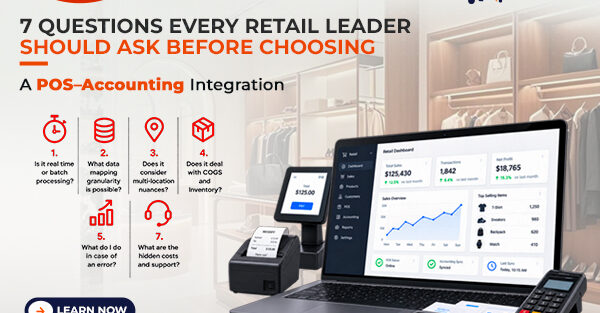
Before clicking “connect,” make sure to ask these seven crucial questions.
Is it real time or batch processing?
Timing is critical. Is the integration system set up to process data as sales happen or will it process all the information at the end of the day? Though real-time has its own benefits but If you operate at a high-volume retailer, batch processing may result better for transaction processing.
What data mapping granularity is possible?
What’s a $500 sale without context to your accountant? Can the system process product category information, SKU, discount codes and type of payment (credit, cash, gift cards) into different ledger accounts? Your integration tool should be able to do granular mapping for your Chart of Accounts to be tidy and P&L actionable.
Does it consider multi-location nuances?
If you have several retail locations, then the first integration will probably simply sum up all sales under one general heading such as “Sales.” The right integration will be able to automatically separate data by location, giving you the ability to analyse performance, efficiency of payroll, and profits of each of the locations without having to sort anything manually.
Does it deal with Cost of Goods Sold (COGS) and Inventory?
Keeping track of the revenue is not enough. If you sell a pair of shoes, does it automatically decrease your quantity of inventory in the accounting system, calculating new COGS at the same time? It is crucial that the integration has the functionality of perpetual inventory tracking.
What do I do in case of an error?
There are no guarantees in retail. The cashiers may make errors; there will be returns and cancellations of the transactions. So, if there is an error during a transaction, how will the integration rectify it in the accounting system? To ensure that everything is kept clean and there are no deletions of numbers, the system should be able to handle the adjustments properly.
Is it scalable for my business?
The technology that you use should take care of your future growth. You may have a physical store now, but what if you go online with your own e-commerce site next year, or maybe a wholesale channel? It is important that the integration can consolidate all your sales channels into one accounting system.
What are the hidden costs and support?
Beware of what lies behind the price tag. Is the integration a native, built-in integration, a middleware app from a third party, or an API build? All come with distinct cost structures including monthly subscriptions, pay per sync fees, or high up-front setup costs. But more importantly, what happens if the sync crashes during a busy Saturday? Ensure you know the vendor’s support SLAs beforehand.
The Bottom Line
POS–accounting integration, it is not just a matter of saving time with the manual work. It is a matter of achieving absolute clarity of your finances. Through these seven questions, retail managers will be able to avoid all the pain and hassle that come along with automated errors and create their financial spine.