
When you step into any retail CFO’s office, you find yourself faced with an ironic situation: lots of dashboards everywhere but with a continuous feeling of being in the dark. Your POS system, RMH, is doing its best job by collecting data about each transaction, each refund, and each method of payment. Simultaneously, your finance solution, QuickBooks, is collecting data on your payables, payroll, and banking activities. You have access to more information now than ever before. Yet, why is your book closing process always so painful?
The reason for this struggle is not a shortage of information. It is an inability to combine all your data into one. This issue is particularly problematic for retail CFOs.
The Hidden Price Tag of the Integration Absence
In the absence of both RMH and QuickBooks being integrated, the finance team must go through a process that software developers like to call the “swivel chair” integration. You take the daily sales report from RMH, export it in a CSV format, then clean the formatting and enter the data manually in QuickBooks.
This manual middleware acts like a sieve. First, there is the cost of human resources wastage. You pay your skilled financial people to spend hours inputting data instead of analysing variances or forecasting cash flow. Then there is the possibility of errors. Just one wrong decimal place or categorization or missing a day’s batch spoils everything for your entire general ledger. And third, there is the delay factor. If the data flows slowly, all your decision-making is always based on the past.
x2x RMH QuickBooks Integration – The Solution
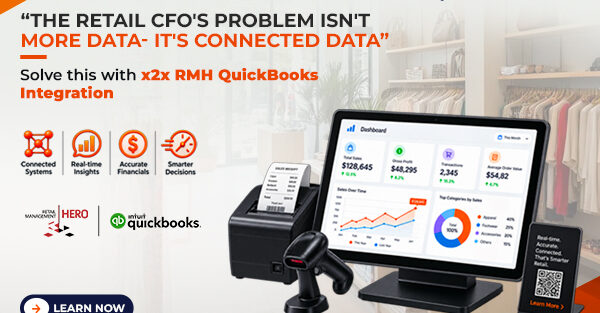
The solution to this problem isn’t more software to report on transactions. Rather, it’s an intelligent connection. Incorporating the x2x RMH QuickBooks integration smartly involves transitioning from manual data export and imports to an intelligent process of data synchronization.
Unlike manual processes, an intelligent one does not only synchronize data but translates it. RMH understands terms such as SKUs, tenders, and tax jurisdictions while QuickBooks understands terms such as chart of accounts, classes, items, and journal entries. The x2x integration works like the translator between the two languages.
Here is what intelligent synchronization of data looks like:
Intelligent GL mapping: Instead of getting a single, sum deposit into a sales account each day, x2x intelligently maps your RMH departments or categories to different QuickBooks revenue and Cost of Goods Sold (COGS) accounts. You will know instantly how much revenue your apparel department earned against your hard goods, without ever using a spreadsheet.
Automated Tax Resolution: Sales tax has always been complicated, especially with different tax rates and tax-exempt sales in different localities. A good integration will help break down the taxes that have been calculated in RMH into the right QuickBooks tax liability accounts.
Payment Reconciliation at the Transaction Level: x2x does not just add up sales but breaks down payments as well. This means that credit card batches, cash drops, and gift card transactions will be synced in the process to enable the accountant to reconcile with the merchant statement in seconds.
Multiple Locations: In case you have several branches, integrating the data manually will be like hell. With x2x integration, it is possible to import transactions from several RMH terminals/locations and post them in QuickBooks.
Bookkeeping To Business Intelligence
If you integrate the x2x RMH QuickBooks integration effectively, the function of the finance department completely transforms. Rather than wondering whether you captured all your Saturday sales, you wonder how your margin on the new summer line compares to last year’s.
With connected data, your month-end close process shrinks from one week to two days. It provides you complete confidence in the figures presented on your P&L statement.
In essence, in the fast-paced world of retail today, delayed data is a thing of the past. You can now empower your business and retail CFO with the ability to react immediately by linking up your sales data and your back-end accounting data.