
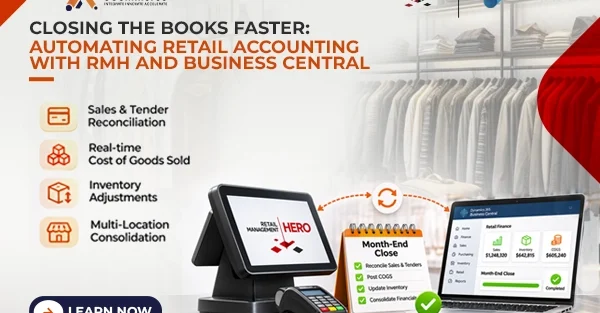
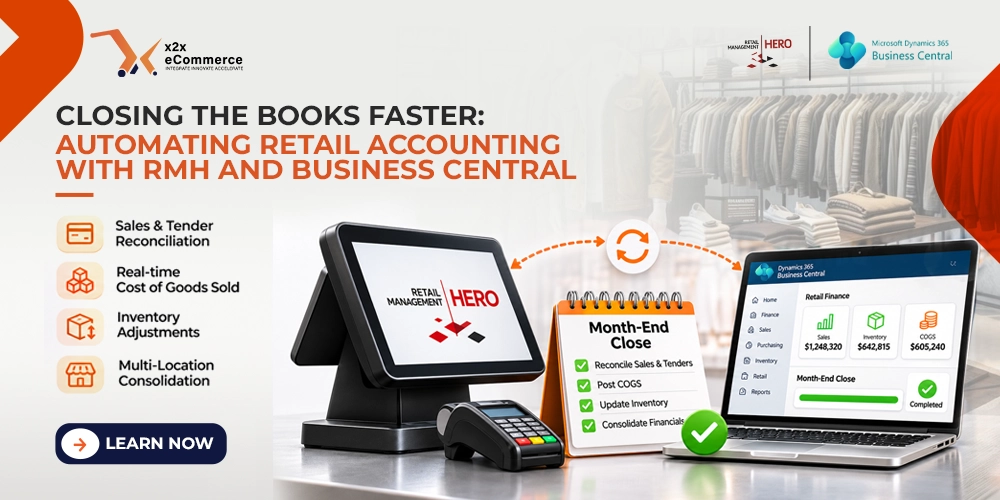
The retail month-end close is rarely easy. Finance teams reconcile sales store by store, track inventory moving between locations and chase tender differences, all on a tight calendar. The result is tired accountants, late reports and management decisions made on old figures. Automation changes that. With Retail Management Hero (RMH) at the front end and Microsoft Dynamics 365 Business Central (BC) at the back end, the close can move from days of preparation toward a short review.
In short: an RMH and Business Central integration speeds up the retail month-end close by posting every sale to the right G/L account, matching tenders to expected deposits, updating inventory and COGS as sales happen and consolidating all stores in one Business Central view. Standardize the chart of accounts, map tender types exactly, report exceptions instead of transactions and audit the sync regularly.
Why is the month-end close so hard for retailers?
Retail finance is its own kind of work. A single store can process hundreds of transactions a day across cash, credit cards, gift cards, loyalty points and refunds. Multiply that by several stores and you get a very large number of journal entries.
Without an integration, someone extracts reports from RMH, reformats them, posts them into Business Central by hand and then reconciles the differences. That takes days. The usual month-end problems are:
- Matching different tender types to bank accounts
- Calculating cost of goods sold (COGS) across many SKUs
- Accounting for shrinkage and write-offs in the inventory account
- Combining financial reports from every store location
All of this is tedious and prone to mistakes, and most of it is unnecessary once the right automation is in place.
How long does your close take today?
Before you automate, measure the starting point. Three numbers are enough: the days between the last sale of the month and the day the books close, the number of manual journal entries your team posts during the close, and the number of adjustments made after the books were declared closed. Write them down now, and compare them after the integration has run for a few months. Our page on the month-end close explains where the time usually goes.
How do RMH and Business Central automate the close?
When RMH and Business Central work together, the slow parts of the close shrink. Nobody has to upload transaction data in batches, because transactions flow continuously. x2x builds this link; see the RMH Dynamics 365 Business Central integration page.
Sales and tender reconciliation
Every RMH transaction posts to Business Central under the correct General Ledger (G/L) account. Cash, credit card and gift card tenders are matched against expected deposits as the transactions post. Card fees and settlement timing still need clear rules, and our guide to merchant fees and settlement timing covers them.
Cost of goods sold
Each sale updates the inventory quantity and posts COGS in Business Central. By the end of the month, COGS and inventory are accurate without retroactive adjustments. Business Central still runs its own cost adjustment process, which Microsoft explains in its guide to adjusting item costs. For the stock side, read about real-time inventory sync between RMH and Business Central.
Inventory adjustments
Shrinkage, transfers and write-offs recorded in RMH go straight into the Business Central inventory ledger. Finance no longer has to wait for the store manager’s report.
Multi-location consolidation
For retailers with several stores, the financial data from every location comes together in one Business Central view. Reports that once took days to assemble can be produced much faster, and Business Central dimensions let you break results down by store or region.
What does a faster close do for your finance team?
Speed is only one benefit. Once retail accounting is automated, accountants stop searching for receipts and validating spreadsheets and spend their time on work that moves the business:
- Forecasting cash flow and managing working capital
- Analyzing margin by product, store and sales channel
- Budgeting and negotiating with vendors
- Spotting operational inefficiencies early
A faster close also means faster analysis. Reliable financial reports arrive in days instead of weeks, so managers can act on trends while they still matter. For a broader view, read how retailers achieve real-time financial visibility with RMH and Business Central.
Tips for implementing accounting automation
- Standardize the chart of accounts across all locations before you start. Microsoft’s learning path on setting up financial management in Business Central is a good reference.
- Match each RMH tender type to the exact Business Central G/L account, so reconciliation works. Returns need the same care; see handling discounts, returns and negative amounts.
- Automate exception reporting, so finance reviews differences instead of every transaction.
- Audit the sync regularly to catch integration mistakes early. Our integration checklist for Business Central and POS lists what to test.
Frequently asked questions about automating the retail month-end close
What is retail month-end close automation?
It means sales, tenders, inventory movements and COGS flow from the POS into the accounting system automatically, so the close is a review of existing data instead of manual entry and reconciliation.
How do RMH and Business Central speed up the close?
RMH transactions post to Business Central continuously under the correct G/L accounts. Tenders are matched to expected deposits, inventory and COGS update with each sale, and all stores are consolidated in one system.
Which close tasks can be automated?
Sales posting, tender reconciliation, COGS calculation, inventory adjustments such as shrinkage, transfers and write-offs, and multi-store consolidation.
What should be standardized before integrating RMH with Business Central?
The chart of accounts across all locations, and the mapping of each RMH tender type to an exact Business Central G/L account.
Does x2x offer an RMH integration for Business Central?
Yes. x2x builds integrations between Retail Management Hero (RMH) and Microsoft Dynamics 365 Business Central.
Next step
If your team still spends the first days of every month closing the books by hand, book a free x2x demo and walk through a close with your own stores, tenders and chart of accounts.