
Retail inventory accuracy decides whether a store makes money or only looks busy. Overstock ties up working capital in goods that may never move. Understock loses sales and annoys customers. Both come from the same root problem: the stock numbers are wrong. If your retail business runs Retail Management Hero (RMH) with Microsoft Dynamics 365 Business Central Cloud, integrating the two gives you one set of numbers to trust. With tighter margins and customers who expect to see stock before they buy, guessing is no longer an option.
In short: an RMH and Business Central Cloud integration synchronizes sales, returns, transfers and stock adjustments automatically, posts inventory value and cost of goods sold to the General Ledger as activity happens, shows every location in one place and flags variances such as shrinkage while they are still easy to investigate.
Why does inventory accuracy matter so much in modern retail?
Retail now runs across brick-and-mortar stores, eCommerce sites, marketplaces and pop-ups. Customers expect to see real-time stock no matter where they buy. Even a small gap between what the system says and what is on the shelf can lead to:
- Overselling online, followed by cancelled orders and unhappy customers
- Stockouts in your busiest physical stores
- Urgent replenishment orders at premium prices
- Lost trust and weaker brand loyalty
Wrong inventory costs more than the missed sale. It also eats margin through expedited shipping, markdowns and extra storage.
Why do RMH and Business Central show different inventory numbers?
Many retailers keep inventory data in separate systems. RMH holds store-level inventory through the POS, while accounting and warehouse operations run in Business Central Cloud. Without an integration you have two sources of inventory data, and they rarely agree.
The two sides use the numbers differently. Accounting uses Business Central to value inventory and calculate cost of goods sold (COGS), so if Business Central does not match what RMH shows, the financial figures are wrong. Store managers use RMH to decide what to replenish. The result is constant reconciliation between the two.
What does the integration synchronize?
| Activity in RMH | What happens in Business Central Cloud |
|---|---|
| Sale | Stock reduces and COGS posts to the General Ledger |
| Return | Stock increases and the entry is reversed |
| Transfer between stores | Stock moves from one location to the other |
| Stock adjustment (shrinkage, write-off) | Recorded in the inventory ledger |
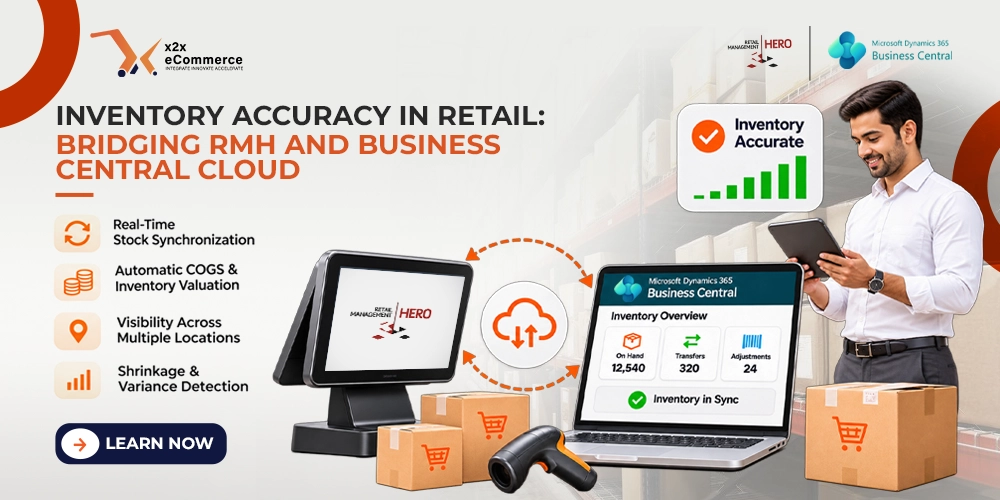
Real-time stock synchronization
Sales, returns, transfers and stock adjustments made in RMH sync automatically to Business Central Cloud. Your stock stays accurate however many locations you run. The technical detail is in our post on real-time inventory sync between RMH and Business Central.
Automatic COGS and inventory valuation
Every inventory movement recorded in RMH is reflected in the Business Central General Ledger. Inventory valuation and COGS stay current, and month-end reconciliation shrinks to a check instead of a rebuild. Business Central still runs its own cost adjustment, which Microsoft explains in its guide to adjusting item costs. Our guide to the inventory valuation and COGS challenge covers the timing issues.
Visibility across locations
Whether you run two stores or two hundred, inventory activity is recorded across all of them, so head office sees the same picture the stores do.
Shrinkage and variance detection
When a physical count and the book record disagree, integrated reporting highlights the variance. Finance can look into shrinkage, theft or receiving errors straight away instead of discovering them a week later at month-end close. For the close itself, read retail month-end close automation with RMH and Business Central.
What does accurate inventory do for the bottom line?
Inventory accuracy is a financial measure as well as an operational one. Retailers that connect RMH and Business Central Cloud aim for results like these:
- Lower carrying costs through leaner stock levels
- Fewer emergency replenishments and expediting fees
- Higher gross margin, because overstock markdowns shrink
- A faster, more accurate month-end close
- Better customer satisfaction through consistent omnichannel fulfillment
How should you prepare before connecting RMH and Business Central?
- Make item numbers and location codes match in both systems.
- Run a physical count before go-live, so both systems start from the same numbers.
- Decide who investigates variances and how quickly.
- Test returns, transfers and adjustments, not just sales. Our integration checklist for Business Central and POS lists what to test.
Frequently asked questions about retail inventory accuracy
What is retail inventory accuracy?
It is how closely the stock your systems show matches the stock physically on your shelves and in your warehouses, across every location and sales channel.
Why do POS and accounting inventory numbers differ?
They are stored in separate systems. Unless an integration synchronizes sales, returns, transfers and adjustments, each system drifts away from the other and someone must reconcile them by hand.
Does the RMH and Business Central integration update COGS automatically?
Yes. Inventory activity recorded in RMH is reflected in the Business Central General Ledger, so inventory valuation and COGS stay current without a rebuild at month end.
Can it help detect shrinkage?
Yes. When physical counts and book records disagree, integrated reporting highlights the variance so finance can investigate shrinkage, theft or receiving errors promptly.
Does x2x offer an RMH integration for Business Central?
Yes. x2x builds integrations between Retail Management Hero (RMH) and Microsoft Dynamics 365 Business Central. See the RMH Dynamics 365 Business Central integration page.
See your real inventory
In retail, not knowing your inventory means lost profit. Do not guess what is sitting on your shelves. To see RMH and Business Central Cloud working with your own stores, book a free x2x demo. Related reading: real-time financial visibility with RMH and Business Central.