
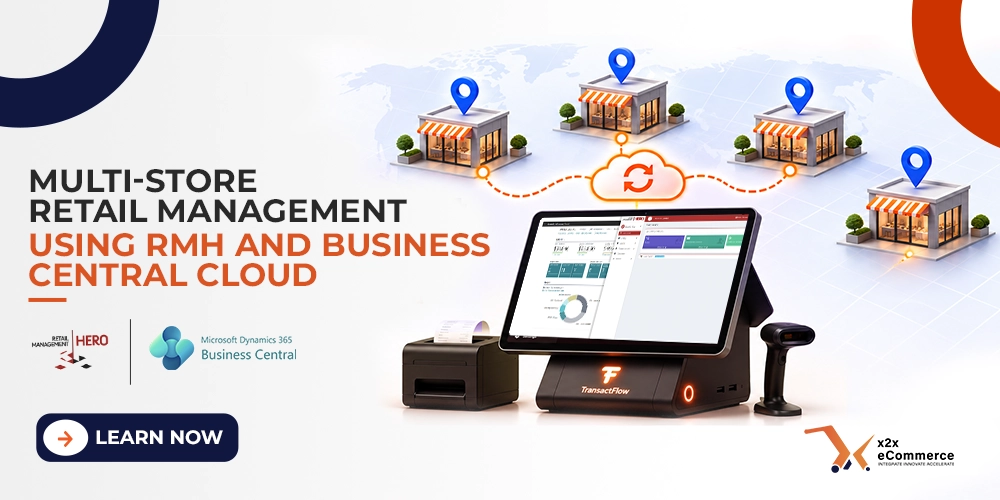
Multi-store retail management gets harder with every store you open. Growing from one location to several is worth celebrating, but each new store adds more products to account for, more sales to total, more staff to train and more financial data to combine. If you want a system built for this stage without the weight of a traditional enterprise ERP rollout, pairing Retail Management Hero (RMH) with Microsoft Dynamics 365 Business Central Cloud is one of the most direct options.
In short: RMH handles the sales floor in every store, and Business Central Cloud handles finance, inventory valuation and reporting in the back office. When the two are integrated, inventory, financial reporting and customer data are unified across all locations, new stores are added without new infrastructure, and head office sees store performance through Power BI.
Why do multi-store retailers need one connected system?
When each store runs on its own tools, managers make decisions in isolation. The finance team spends days collecting data from different sources, and shoppers meet inconsistent prices or stock availability depending on where they walk in. A proper platform does more than collect information. It turns that information into something managers can act on.
| Area | Separate store systems | RMH and Business Central Cloud connected |
|---|---|---|
| Inventory | Each store sees only its own stock | Stock tracked across all locations |
| Financial reporting | Finance collects and merges data by hand | Sales, costs and margins flow to Business Central automatically |
| Customers | Loyalty and history tied to one store | Loyalty and purchase history follow the customer to any store |
| Opening a store | New tools and set-up for each location | New RMH terminals connect to the existing Business Central solution |
| Insight | Reports built after the fact | Live dashboards through Power BI |
What does RMH do on the sales floor?
RMH was built for retail stores. It handles high transaction volumes, complex pricing, promotions and loyalty programs, and it tracks inventory in real time through the POS. Store staff can sell faster, look up stock in other stores and process returns without friction. That makes it a strong front end, and the back end is where Business Central Cloud takes over.
What does Business Central Cloud do in the back office?
Business Central Cloud, part of Microsoft Dynamics 365, drives the finance side:
- Real-time financial management across all branches
- Automatic General Ledger posting for each store
- Cloud scalability without an on-site server
- Built-in business intelligence and reporting
- Integration with Microsoft 365 and Power BI
Two technical details matter for multi-store work. First, Business Central uses dimensions to tag transactions, which lets finance report results by store or region from the same ledger. Second, Power BI is built in as an analysis layer. Microsoft’s overview of Power BI integration with Business Central explains how reports connect, and its page on built-in reporting lists the ready-made Power BI apps, including ones for inventory, sales and finance.
How does a sale travel from an RMH terminal to the Business Central ledger?
- A customer buys at any store, and the sale is recorded at the RMH terminal.
- The integration picks up the transaction, along with returns, transfers and stock adjustments.
- It posts the sale to Business Central under the mapped General Ledger accounts, usually tagged with the store.
- Inventory updates at that store’s location, so stock and cost of goods sold stay current.
- Head office reads store results in Business Central reports or through Power BI.
x2x builds this link. See the RMH Dynamics 365 Business Central integration page and the integration architecture overview for the technical design.
Five benefits of an integrated solution for multi-store retailers
1. Inventory tracking in one place
Real-time inventory across all locations leads to better decisions on fulfillment, transfers and replenishment. That means fewer stockouts and less excess stock. Picture a five-store apparel retailer. On Saturday morning Store A sells its last medium jacket while Store D still holds six. With one live inventory view, head office sees the gap that day and moves two units. With separate systems, the shortage shows up in the next weekly report, after the sales are gone. For more on this, read inventory accuracy in retail with RMH and Business Central Cloud.
2. Unified financial reporting
Sales, costs and margins are tracked for every store and sent to Business Central Cloud automatically, so executives get accurate financial reporting without waiting for someone to merge spreadsheets. The result also feeds the month-end close, which becomes a review of existing data. See real-time financial visibility with RMH and Business Central.
3. Customer information across every store
Loyalty programs and purchase history follow the customer, whichever store they shop in. A shopper who earned points in one location is recognized in the next, which supports repeat business.
4. Store onboarding that scales
Adding a store means setting up new RMH terminals and connecting them to your existing Business Central Cloud solution. You do not build new infrastructure for each location. Plan the new store’s location code and account mapping before launch, and the rest follows the pattern you already have.
5. Live business insight
Because RMH sales and stock land in Business Central, they can be reported through Power BI. Managers can follow sales trends, inventory and store performance as they develop, instead of reading last month’s summary.
Planning your next store, or struggling to reconcile the ones you have? Book a free x2x demo and see RMH and Business Central working together on your own setup.
Is RMH with Business Central Cloud the right fit for your retail business?
It is worth a closer look if several of these apply to you:
- You run three or more stores, or plan to open more.
- Finance spends days gathering and merging store data.
- Stock levels differ between stores and the books.
- Loyalty and purchase history are stuck in individual stores.
- You already use Microsoft 365 or Power BI, or want to.
How do you choose an integration provider?
The technology is only half of the result. Your success depends on how the two systems are connected. Look for a provider with real experience integrating RMH with Business Central Cloud and with connectors ready to use. A dependable provider keeps data flowing, keeps your financials auditable and lets your team spend its time on growth. Ask these questions:
- Have you connected RMH to Business Central Cloud before, and for how many stores?
- Do you have a ready connector, or is the integration custom-coded each time?
- How are tenders, taxes, returns and discounts mapped to General Ledger accounts?
- Can I see a log of every sync and every failure?
- What support do I get when a store cannot sync?
Our integration checklist for Business Central and POS and our guide to preventing accounting errors in a POS integration go deeper on testing and mapping.
Frequently asked questions about multi-store retail management
What is multi-store retail management?
It is the practice of running inventory, sales, finance and customer data across several store locations from one connected system, so every store and head office work from the same figures.
How do you manage inventory across multiple stores?
Track stock by location in one system, sync every sale, return and transfer to it, and give head office a live view. This supports decisions on transfers and replenishment and cuts stockouts and excess inventory.
Can RMH connect to Business Central Cloud?
Yes. x2x builds integrations between Retail Management Hero (RMH) and Microsoft Dynamics 365 Business Central, including the cloud edition.
Can I use Power BI with RMH data?
Once RMH sales and inventory are posted to Business Central, Power BI can report on them. Business Central has built-in Power BI apps for areas such as inventory, sales and finance.
How do you add a new store?
Set up new RMH terminals and connect them to your existing Business Central Cloud solution. Decide the store’s location code and account mapping beforehand so reporting stays consistent.
Run every store from one set of numbers
Multi-store retail does not have to mean constant struggle with complexity. With RMH on the sales floor and Business Central Cloud in the back office, you get a platform that scales with you. To see how it would work for your stores, book a free x2x demo.