
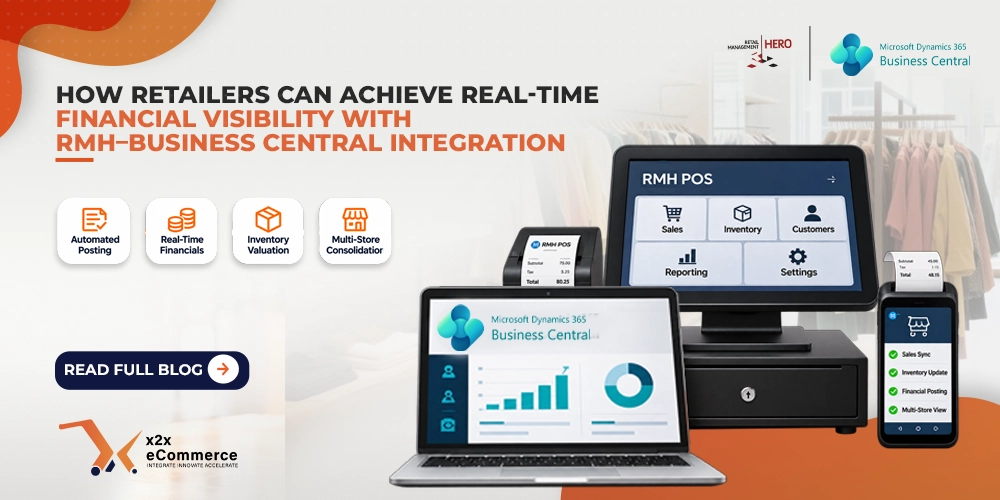
Retail moves fast. In-store payments, online orders, returns, promotions and loyalty redemptions change the numbers every minute, across every channel. Yet many retailers still need days, or even weeks, to see where they stand. Real-time financial visibility means seeing what the stores sold, what it did to inventory and what it did to the books while there is still time to act on it. If you run Retail Management Hero (RMH) as your point-of-sale (POS) system and Microsoft Dynamics 365 Business Central (BC) for accounting, integrating the two is the most direct way to get there.
In short: an RMH and Business Central integration posts every sale from the POS to the ledger automatically, values inventory from live stock movements, brings all stores into one ERP and turns the month-end close into a review instead of data entry. Map your accounts first, use a tool proven with both systems, check tax and currency mappings, and train finance to analyze rather than key in.
What does it cost when your POS and ERP do not talk to each other?
With incompatible systems, the finance team does all the data entry by hand. Store sales reports sit in RMH, and accountants wait for end-of-day or end-of-month reports before they can reconcile anything. That delay causes four problems:
- Cash flow blind spots that stop managers from acting early
- Human error from manual accounting entries
- Slow financial close at month end
- Faulty inventory management and costing
Retail has thin profit margins and depends on fast delivery. Running it on yesterday’s numbers rarely works.
What does an RMH and Business Central integration enable?
The integration passes information between the two platforms automatically, so sales and accounting stay connected. This is what changes:
| Area | Without integration | With RMH and Business Central connected |
|---|---|---|
| Sales posting | Journals entered by hand after the day ends | Each sale posts to its matching entry automatically |
| Inventory valuation | Updated late, often inaccurate | Driven by stock movements in RMH |
| Multi-store finances | Separate reports merged manually | All stores consolidated in one ERP |
| Month-end close | Entering and fixing data | Verifying data that is already there |
1. Sales journal posting runs on its own
Every sale made in RMH posts to its corresponding financial entry in Business Central. It does not matter whether the customer paid with cash, a credit card or a gift card. Nobody needs to post journals once the day is over.
2. Inventory valuation stays current
Inventory is usually a retailer’s largest asset. The integration updates the value of your inventory costs in Business Central based on stock movement in RMH. For the technical side, read about real-time inventory sync between RMH and Business Central.
3. Multi-store consolidation gets simpler
Consolidating finances from several stores is hard without integration. With RMH connected, the financials from every store land in one ERP. Business Central’s dimensions then let you analyze that data by store or region.
4. The financial close becomes quicker and more accurate
Because data moves continuously, the month-end close is a matter of verifying information instead of entering it.
Best practices for a successful RMH and Business Central integration
Real-time visibility takes more than linking two platforms. Four habits make the difference:
- Map accounts before launch. Make sure each RMH transaction type matches the right account in the Business Central General Ledger. Microsoft’s learning path on setting up financial management in Business Central covers the chart of accounts and posting setup, and our guide to preventing accounting errors in a Business Central POS integration covers the mapping rules.
- Pick an integration tool that has already worked with RMH and Business Central. A dedicated solution avoids custom-coding problems. Our integration checklist for Business Central and POS lists what to test.
- Verify tax code and currency mappings. Cross-border retailers need extra care, because wrong tax mapping makes postings fail. See how tax jurisdictions cause accounting mismatches.
- Train your finance people. Real-time data calls for real-time control. Prepare your accountants to analyze data, not enter it.
Frequently asked questions about RMH and Business Central integration
What is real-time financial visibility in retail?
It is the ability to see sales, inventory and their effect on the books as they happen, instead of waiting for end-of-day or end-of-month reports to be entered and reconciled.
How does RMH connect to Microsoft Dynamics 365 Business Central?
An integration tool passes sales, payments and inventory data from RMH to Business Central automatically. x2x builds this integration. See the RMH Dynamics 365 Business Central integration page and the integration architecture overview.
Which payment types post automatically?
Cash, credit card and gift card sales all post to their corresponding entries in Business Central, so no one has to enter journals at the end of the day.
Can the integration consolidate several stores?
Yes. Financial data from all your RMH stores is brought into a single ERP, so you can see the whole business in one place.
Does it make the month-end close faster?
It removes the data-entry part. Because information transfers continuously, the close becomes a matter of verifying figures that are already in Business Central.
The bottom line
Financial visibility decides how fast a retailer can react. With RMH and Business Central connected, you cut manual work, avoid accounting mistakes and get the information you need to make informed decisions. Do not wait for month end to find out how the business is doing. To see the integration with your own stores and chart of accounts, book a free x2x demo.
Running QuickBooks instead of Business Central? Read about retail financial visibility with RMH and QuickBooks.