
x2x RMH for QuickBooks — Automate Your Retail Accounting
The most complete integration between Retail Management Hero (RMH) POS and QuickBooks Online. Sync sales, COGS, inventory, AR, AP, customers, and vendors — automatically, accurately, in real time.
Why Retailers Lose Thousands Every Year Without Automation
Without an automated connection between RMH and QuickBooks Online, your team spends hours every day on manual work that should take zero minutes.
Without x2x RMH for QuickBooks
- 2–3 hours daily manually re-entering RMH sales into QuickBooks Online
- Inventory values in QuickBooks Online never match what's in RMH
- COGS calculated via spreadsheets — often inaccurate and delayed
- Inter-store transfers tracked separately — creating blind spots
- Wait days for accurate P&L to make any business decision
- Human errors create compliance and audit risks
With x2x RMH for QuickBooks
- Sales, COGS, and GL auto-posted to QuickBooks Online — zero effort
- Inventory always accurate — synced across all store locations
- COGS calculated and posted to QuickBooks Online with every transaction in real time
- All inter-store transfers automatically logged in QuickBooks Online
- Real-time P&L and financial reports always current in QuickBooks Online
- Zero manual entry = zero errors = clean audit trail every time
The Most Complete RMH QuickBooks Online Integration Available
Not a basic sync tool. A complete retail accounting automation platform — every module your business needs, individually configurable.
Sales Sync to QuickBooks Online
Auto-transfers all RMH POS sales batches — cash, credit, on-account — directly to QuickBooks Online with optional review before posting.
Cost of Goods Sold (COGS)
Posts COGS to the correct QuickBooks Online account with every sale — your gross margin is always accurate and audit-ready in real time, no manual entries.
Enable Rounding
Automatically rounds transaction amounts for precision in every financial entry posted to QuickBooks Online — eliminating penny discrepancies.
Threshold Rounding
Sets a custom rounding threshold so only values above a defined amount are rounded — granular control over financial precision in QuickBooks Online.
Unposted Transactions Review
Displays all pending sales and adjustments in a review queue before they're sent to QuickBooks Online — your team's final quality checkpoint.
Mark as Posted / Unposted
Mark transactions as posted for internal tracking without syncing to QuickBooks Online, or recall any posted transaction for correction and resend.
Accounts Receivable (AR)
Assigns customer accounts to on-credit POS sales with validation, keeping your AR ledger in QuickBooks Online perfectly synchronized with RMH.
Accounts Payable (AP)
Manages all purchase invoices and vendor payables in the QuickBooks Unposted Module with full edit capability before posting to QuickBooks Online.
Purchases Tracking
Tracks all RMH purchase transactions in QuickBooks Unposted Module, giving full visibility before committing data to the ledger.
Upload PO Without Vendor
Uploads POs without an assigned vendor using a configurable default vendor — no purchase order is ever blocked from syncing to QuickBooks Online.
Failed Transaction Handler
Automatically captures sync failures with specific error causes. Retry individually or in batch from the Admin Dashboard — no data ever lost.
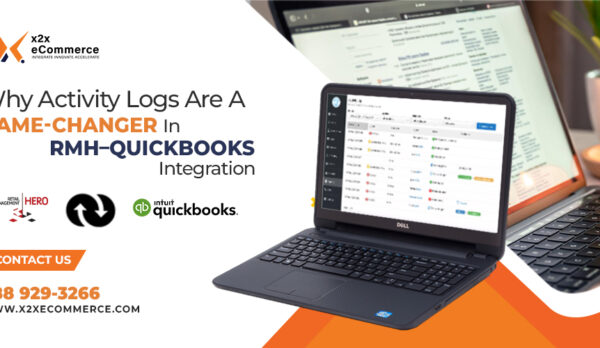
Activity Log
Records every sync event — sales, purchases, adjustments, and transfers — with timestamps for a complete, auditable paper trail in real time.
Inventory Adjustment Sync
Tracks every manual or offline inventory adjustment — write-offs, shrinkage, damage — and posts them to QuickBooks Online automatically.
Inventory Transfer In
Records every stock transfer received into an RMH store and syncs it to QuickBooks Online, keeping inventory values accurate across all locations.
Inventory Transfer Out
Logs all outgoing inventory movements from each store and posts them to QuickBooks Online — eliminating blind spots in multi-store inventory accounting.
Multi-Store Inventory Transfers
Real-time inter-store stock movement tracking for RMH Central — stock moving between locations is automatically accounted for in QuickBooks Online.
Custom Accounts Mapping
Maps RMH departments and store locations to their exact QuickBooks Online chart-of-accounts — with unique mapping per store for multi-location retailers.
Store Setup Module
Configures opening batch dates, PO display dates, and transfer date ranges per individual store — including centralized RMH Central setups.
Download Customers from QuickBooks Online
Pulls existing QuickBooks Online customer records into RMH — your sales team always works with up-to-date customer data at the point of sale.
Upload New Customers to QuickBooks Online
Automatically creates new RMH customers in QuickBooks Online the moment they're added at the POS — zero manual re-entry required.
Download Vendors from QuickBooks Online
Syncs your QuickBooks Online vendor list into RMH so purchase orders always reference the correct, verified supplier records.
Create New Vendors Automatically
When a new vendor is added in RMH, it's instantly created in QuickBooks Online — no duplicate data entry, no vendor mismatches ever.
Upload New Vendors to QuickBooks Online
Pushes newly created RMH vendors to QuickBooks Online in real time — both systems always share the same complete vendor master list.
Customer & Supplier Type Sync
Auto-syncs customers and vendors based on their designated type — clean, consistent master data between RMH and QuickBooks Online at all times.
Cloud Admin Dashboard
Real-time summary of all connected clients, active modules, sync statuses, and error counts — mission control for your entire retail operation.
Client List & Profile Management
View all registered retail clients, filter by status, access profiles, review license keys, and monitor service health from a single admin panel.
Module Center
Lists all available integration modules with descriptions and versions — activate or deactivate any module for any client instantly from the cloud.
Searchable Log Viewer
Filter sync logs by module, client, date range, and transaction type with timestamps for every event — full audit trail on demand.
Diagnostic Query Console
Run predefined diagnostic queries on any client-side system from the admin panel with a full history of who ran what query and when.
API Connectivity Monitor
Tracks real-time status of every client's API connection to QuickBooks Online, flags failures instantly, and enables one-click reconnection.
Automated GL Upload Scheduler
Schedules automatic General Ledger entry uploads to QuickBooks Online at your chosen frequency — eliminating end-of-day manual uploads entirely.
Automated Customer Sync
Runs scheduled pulls of customer data from QuickBooks Online into RMH, keeping customer records in sync without any manual intervention.
Automated Vendor Download
Schedules regular vendor data synchronization from QuickBooks Online to RMH so your purchase order workflow always uses current supplier info.
QuickBooks Online API
Securely manages your QuickBooks Online credentials and OAuth 2.0 tokens for a persistent, authenticated real-time connection to QuickBooks Online.
Email Alert System
Configures SMTP mail settings for instant notifications on successful syncs and failed transactions — your team is always informed, never blindsided.
System Password Security
Restricts configuration access to administrators only — your integration settings cannot be changed by unauthorized users.
Every Transaction. Every Store. Synced to QuickBooks Online.
Most integrations only push sales totals. x2x RMH for QuickBooks handles all 15 transaction types retailers generate every day.
Cash Sales
All cash POS transactions sync automatically to QuickBooks Online sales accounts.
Credit & Card Sales
Credit, debit, and digital payment sales posted with correct tender mapping to QuickBooks Online.
Sales Returns & Refunds
Customer returns and credit memos created in QuickBooks Online automatically.
On-Account Sales (AR)
Credit sales tracked as Accounts Receivable in QuickBooks Online with full customer assignment.
Purchase Orders
RMH POs posted to QuickBooks Online as vendor bills with full AP tracking.
Purchase Receipts
Received inventory posted to QuickBooks Online with cost and vendor details automatically.
Purchase Returns
Vendor returns and credit memos synced to Accounts Payable in QuickBooks Online.
Inventory Adjustments
Manual counts, write-offs, and damage entries posted to inventory accounts in QuickBooks Online.
Inventory Transfer In
Incoming inter-store stock movements tracked and valued in QuickBooks Online.
Inventory Transfer Out
Outgoing inter-store stock movements logged and posted to QuickBooks Online automatically.
COGS Entries
Cost of Goods Sold posted per transaction for real-time margin tracking in QuickBooks Online.
GL Uploads
Automated General Ledger journal entries posted to QuickBooks Online on schedule.
Deposits & Rounding
Cash deposits and rounding adjustments handled with precision in QuickBooks Online.
New Customer Records
Customer master data created in QuickBooks Online from RMH automatically on addition.
New Vendor Records
Vendor master data pushed to QuickBooks Online as soon as created in RMH.
Purpose-Built for Multi-Store RMH Retailers
Running multiple locations with RMH Central? x2x is the only RMH for QuickBooks integration with enterprise-level multi-store financial management built in.
Store-Level Account Mapping
Each store maintains its own unique QuickBooks Online account mappings — different locations can post to different GL accounts automatically.
Inter-Store Transfer Tracking
Stock movements between stores automatically recorded as Transfer In and Transfer Out — inventory values stay accurate across every location in real time.
Centralized Financial View
All stores feed into a single QuickBooks Online company file — consolidated P&L, balance sheet, and inventory valuation across your entire retail chain.
Cloud Admin Dashboard
Monitor every store's sync status, module health, error counts, and API connectivity from a single cloud-based panel — no store-by-store access needed.
Per-Store Sync Scheduling
Set independent sync frequencies for each location — real-time for high-volume stores, scheduled batch for lower-volume locations.
RMH Central Compatible
Fully certified for RMH Central architecture — the only integration that serves both single-store and full multi-store RMH Central setups equally well.
A Complete Integration Experience — From POS to QuickBooks Online
x2x RMH for QuickBooks is designed to fit your existing workflow. The interface is clean, the setup is guided, and once configured, it runs silently in the background — syncing every transaction without requiring any daily interaction from your team.
Real-Time Dashboard
Every sync event visible in the Activity Log — sales posted, COGS updated, transfers tracked.
Transaction Review Queue
Review unposted transactions before they're pushed to QuickBooks Online — your final quality gate.
Secure & Reliable
OAuth 2.0 authenticated connection to QuickBooks Online. Admin-only configuration access for security.
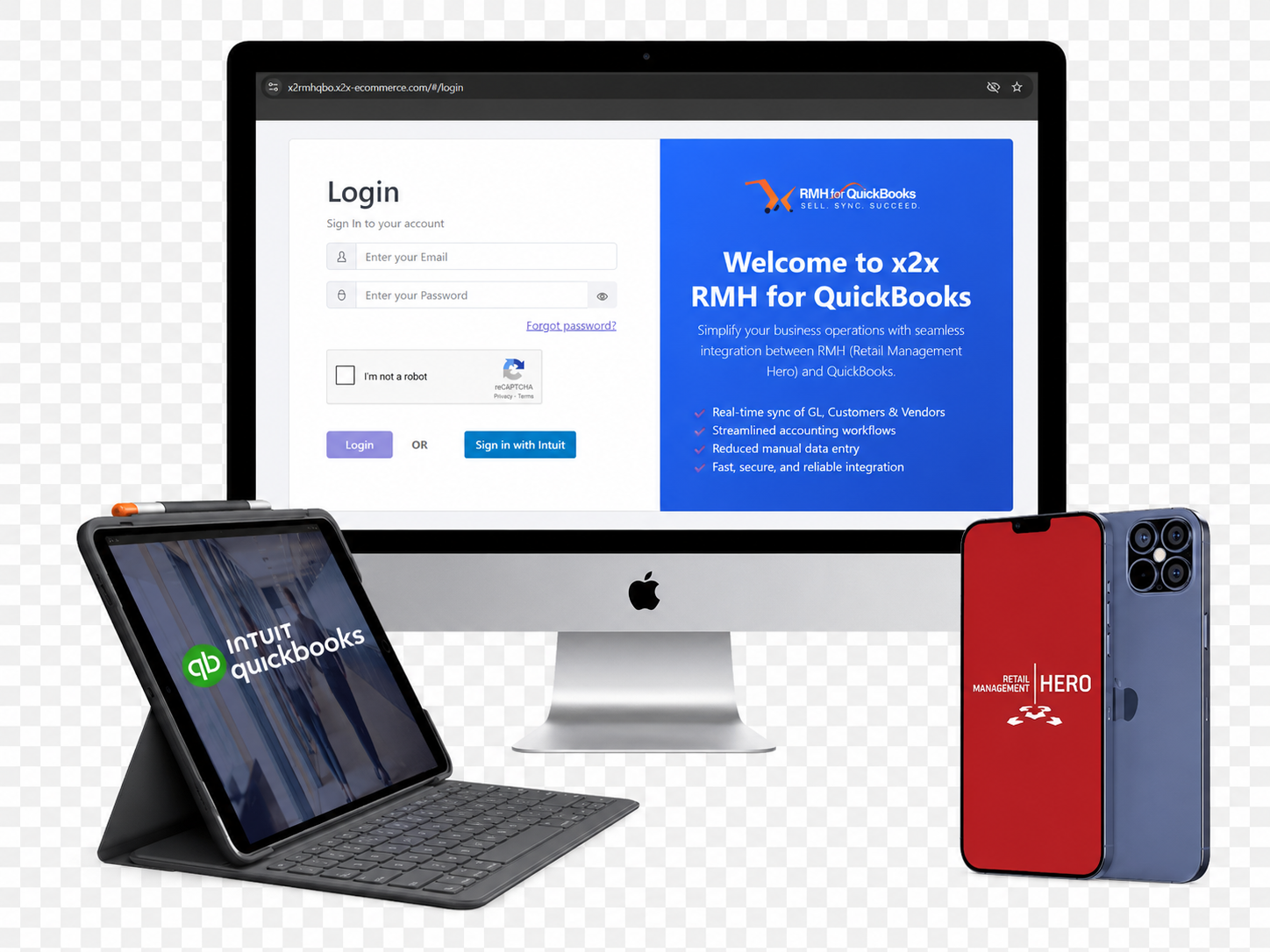
Go Live in Under 2 Hours — 4 Simple Steps
No IT department needed. Our certified support team guides you through every step. Most retailers are syncing data before the end of the day.
Prepare Your Systems
Confirm RMH Store or RMH Central is active. Have your QuickBooks Online account ready with your chart of accounts accessible for mapping.
Install x2x App
Download x2x directly from the QuickBooks App Store or our portal. Installs as a background service — no complex configuration required.
Configure Your Sync
Map your QuickBooks Online accounts to RMH departments. Activate modules — Sales, COGS, AR, AP, Inventory. Set real-time or scheduled sync frequency.
Go Live & Monitor
Activate your integration. The Activity Log shows every sync event. Email alerts notify your team of any exceptions immediately.
ROI Calculator
Estimate your monthly time and cost savings with x2x RMH for QuickBooks
How we calculate: Monthly hours = (transactions × stores × minutes per transaction) ÷ 60. Monthly savings = hours × hourly rate. Errors eliminated = transactions × stores (1 potential error per transaction eliminated by automation). These are conservative estimates; actual savings vary by business.
Every Unautomated Transaction Has a Hidden Cost
When your team manually re-enters RMH data into QuickBooks Online, the cost is not just the time — it's the compounding risk of errors that take even more time to find and fix at month-end.
- Data entry labor cost $625/mo
- Error correction time (est. 10%) $62/mo
- Month-end reconciliation overhead $94/mo
- Total estimated monthly cost $781/mo
Learn More About x2x RMH for QuickBooks
Watch how the integration works in action, or download the full product brochure to share with your team or accountant.
Product Demo Video
See x2x RMH for QuickBooks in action. Watch how sales sync, inventory adjustments post, and the Admin Dashboard monitors every store in real time — in under 5 minutes.
Request a DemoProduct Brochure (PDF)
Download the full x2x RMH for QuickBooks brochure — complete feature list, system requirements, integration overview, and pricing guidance. Perfect for sharing with your accountant or IT team.
Built for Every Type of Retail Business Using RMH
If you run Retail Management Hero POS, x2x makes your QuickBooks Online accounting automatic — whatever you sell.
What Retailers Say About x2x RMH for QuickBooks
"You supported us with a QuickBooks integration app, allowing us to continue using QuickBooks for our back-office accounting. I would highly recommend your company and the RMH POS solution."
"We have automated our processes using x2x eCommerce — it has resulted in significant time savings. We have eliminated the need for staff to enter orders manually, making for improved accuracy and labour savings."
"x2x eCommerce has provided cradle-to-grave support for our systems since 2006 for our warehouse headquarters and 4 stores. They have been instrumental in hardware, software acquisition, installation, and service maintenance."
"x2x eCommerce came to our rescue. Now item, inventory, and customer data sync in minutes, and transactions are processed locally. Sales are created in our system within seconds. We highly recommend x2x eCommerce."
Start Free — Scale as You Grow
Every plan includes all 44 features. You choose the transaction volume and modules that match your business today — and add more as you grow.
The most complete integration that Connect RMH POS to QuickBooks Online, Sync sales, COGS, inventory, AR, AP, customers, and vendors — automatically, accurately, in real time.
- Sales sync
- COGS tracking
- Customer sync
- GL upload
- Multi-store ready
- Activity log
Download from the official QuickBooks App Store
Everything in Free
All features included with a limit of 10 transactions/month. Ideal for setup, testing, or very low-volume retailers.
- + Unlimited transactions
- + All Sales batch types
- + Additional stores
Manage subscription via QuickBooks App Store
Includes 1 store. Add additional stores for $20/store/month. Unlimited transactions.
- Full Sales Module — unlimited transactions
- All 44 features included
- Unlimited users
- 1 store included
- COGS, AR, GL, Customer Sync
- Activity Log & Email Alerts
Manage subscription via QuickBooks App Store
Build a complete solution tailored to your business. Add Purchase and Inventory modules separately.
- Sales Module included (base)
- Purchase Module: +$25/month
- Inventory Module: +$25/month
- Unlimited users
- Additional stores: +$20/store/month
- Per-module/per-store pricing: +$10/module/store
Configure your modules via QuickBooks App Store
Frequently Asked Questions
Everything retailers ask before choosing x2x RMH for QuickBooks — answered in full.
x2x RMH for QuickBooks is a certified integration application that automatically synchronizes data between your Retail Management Hero (RMH) POS system and QuickBooks Online. It eliminates manual data entry by automatically transferring sales, COGS, inventory, purchase orders, customer records, vendor data, and General Ledger entries — giving you real-time financial accuracy with zero human effort.
Yes. x2x RMH for QuickBooks is officially listed on the Intuit QuickBooks App Store (Intuit Marketplace). You can discover, download, and manage your subscription directly within QuickBooks — giving you the confidence of an Intuit-verified integration.
Yes. x2x RMH for QuickBooks is built specifically for QuickBooks Online (QuickBooks Online). It connects via secure OAuth 2.0 API authentication and supports all core modules including Sales, COGS, Accounts Receivable, Accounts Payable, Inventory, Customers, Vendors, and General Ledger uploads.
Most retailers are fully live in under 2 hours. The 4-step setup — prepare your systems, install the x2x app, configure account mappings and modules, then go live — is guided by our certified support team. Multi-store RMH Central configurations may require up to one business day for complete account mapping.
Yes. x2x RMH for QuickBooks is purpose-built for multi-store RMH deployments using RMH Central. Each store can have its own account mappings and sync schedules. Inter-store inventory transfers are tracked automatically, and the cloud Admin Dashboard gives you a centralized view of every store in real time.
x2x syncs 15 transaction types: cash sales, credit/card sales, on-account (AR) sales, sales returns, purchase orders, purchase receipts, purchase returns, inventory adjustments, inventory transfers in/out, COGS entries, General Ledger uploads, deposits, rounding adjustments, new customer records, and new vendor records.
Yes. x2x RMH for QuickBooks supports both Perpetual Inventory (updated with every transaction in real time) and Periodic Inventory (updated at scheduled intervals). Your preferred method is configured during the initial account mapping stage.
x2x has a dedicated Failed Transaction module that captures every sync failure with a detailed error message. Your team receives an automatic email alert. From the Activity Log or Admin Dashboard, you can retry failed transactions individually or in batch — ensuring no data is ever permanently lost.
Yes. x2x RMH for QuickBooks offers a free plan that never expires — all 44 features are fully included with a limit of 10 transactions per month. There is no credit card required and no time restriction. You can upgrade to the Standard or Extended plan at any time directly through the QuickBooks App Store.
x2x supports any retail business using RMH POS, including apparel, grocery, liquor and wine, electronics, hardware, health and beauty, jewelry, pet supply, sporting goods, book stores, music stores, gift shops, marine retail, and more. The integration is fully configurable to match any retail business's chart of accounts and reporting structure.
Stop Losing Time and Money to Manual Accounting
Every day without x2x RMH for QuickBooks is another day of manual data entry, reconciliation errors, and wasted staff hours. Join retailers worldwide who have automated their QuickBooks Online accounting — starting free.